
Best Remote Keyboards for Smart TVs

4th Floor, Building E, Kaisheng Smart Park, Xingyu Road, Nanchang Community, Xixiang Subdistrict, Bao'an District, Shenzhen City, Guangdong Province,P.R.China [email protected]

Get a Free Quote

Our representative will contact you soon.
Email
Name
Company Name
Message
0/1000

remote keyboard tv

When you want control your smart TV, a remote keyboard can be a nice tool. It lets you type easily, search for shows, and chat with friends while watching videos. Using a remote keyboard is much easier than a regular remote. They have more buttons and help you do stuff faster. At Siegeon, we believe the right tools make watching TV more fun. You can find keyboards that work with most smart TVs, so it's simple to get.

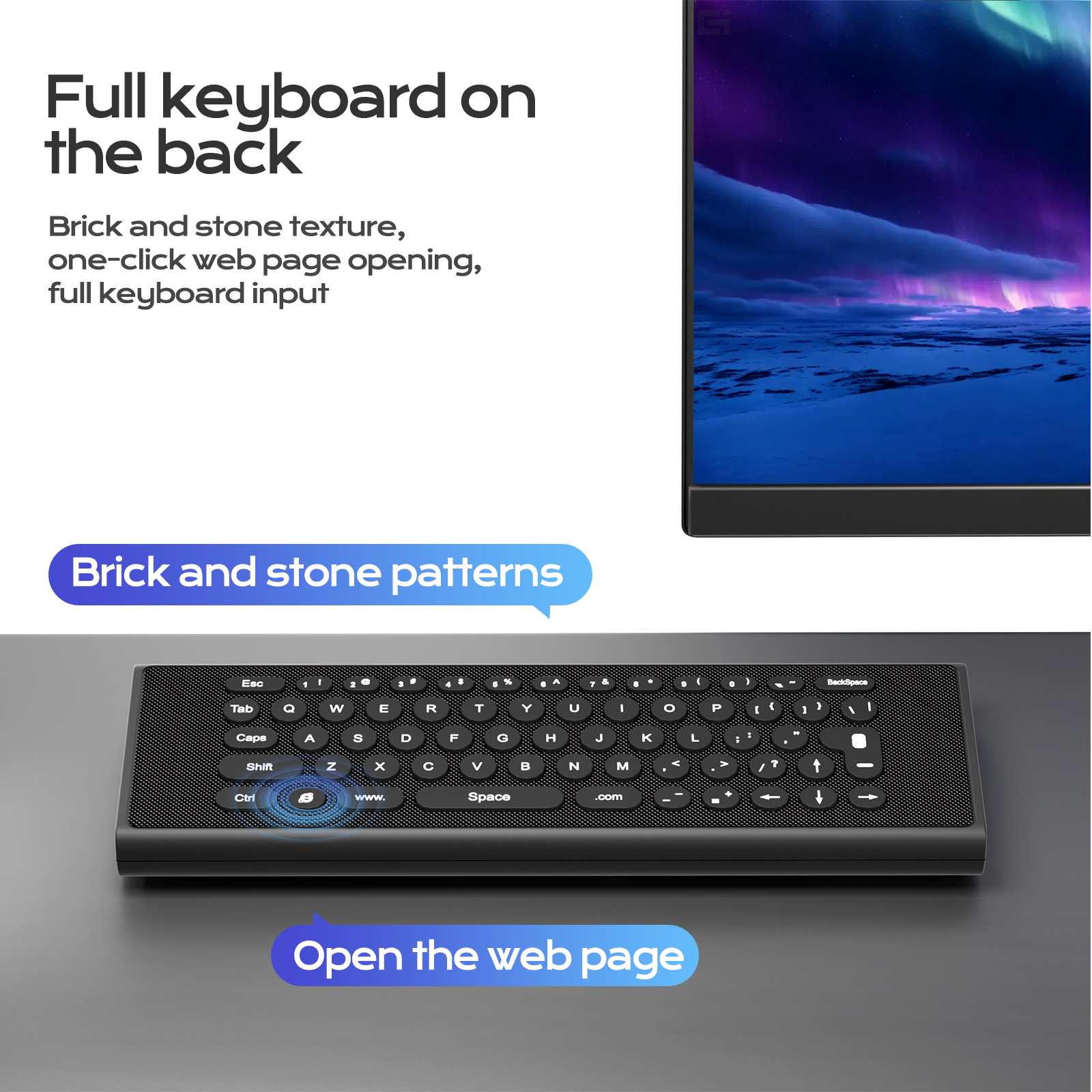
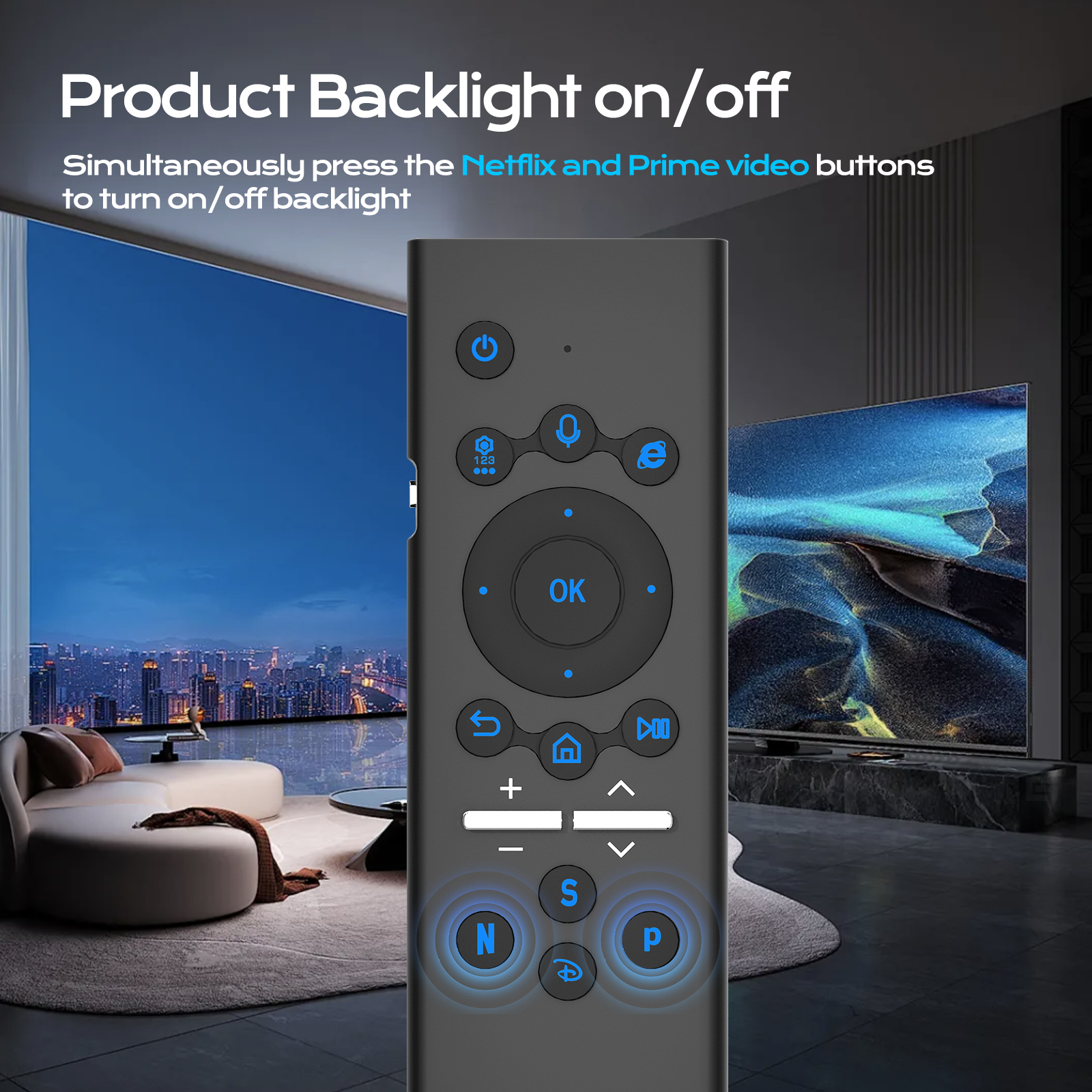
Picking the best remote keyboard for your smart TV can be exciting. First, think about how you use it. If you like typing long messages or finding movies, a keyboard with touchpad is perfect because it feels like a laptop. You can scroll through menus easily and search your favorite shows. Also, check if it connects easily to the TV. Some use Bluetooth, like the Bluetooth Air Mouse Remote, while others use a USB receiver. Make sure your TV can pair with Bluetooth devices. Another thing to consider is the size of the keyboard. A compact one is good if you have a small space or want to carry it around the house. Bigger keyboards feel better for typing but take up more room. Battery life is important too. You don't want it to die in the middle of a movie! Look for long battery life or rechargeable options. Finally, design matters. Some have backlit keys for dark rooms, making it easier to use without lights. Siegeon has many options for different needs to find the perfect one.
How to Choose the Best Remote Keyboard for Your Smart TV?

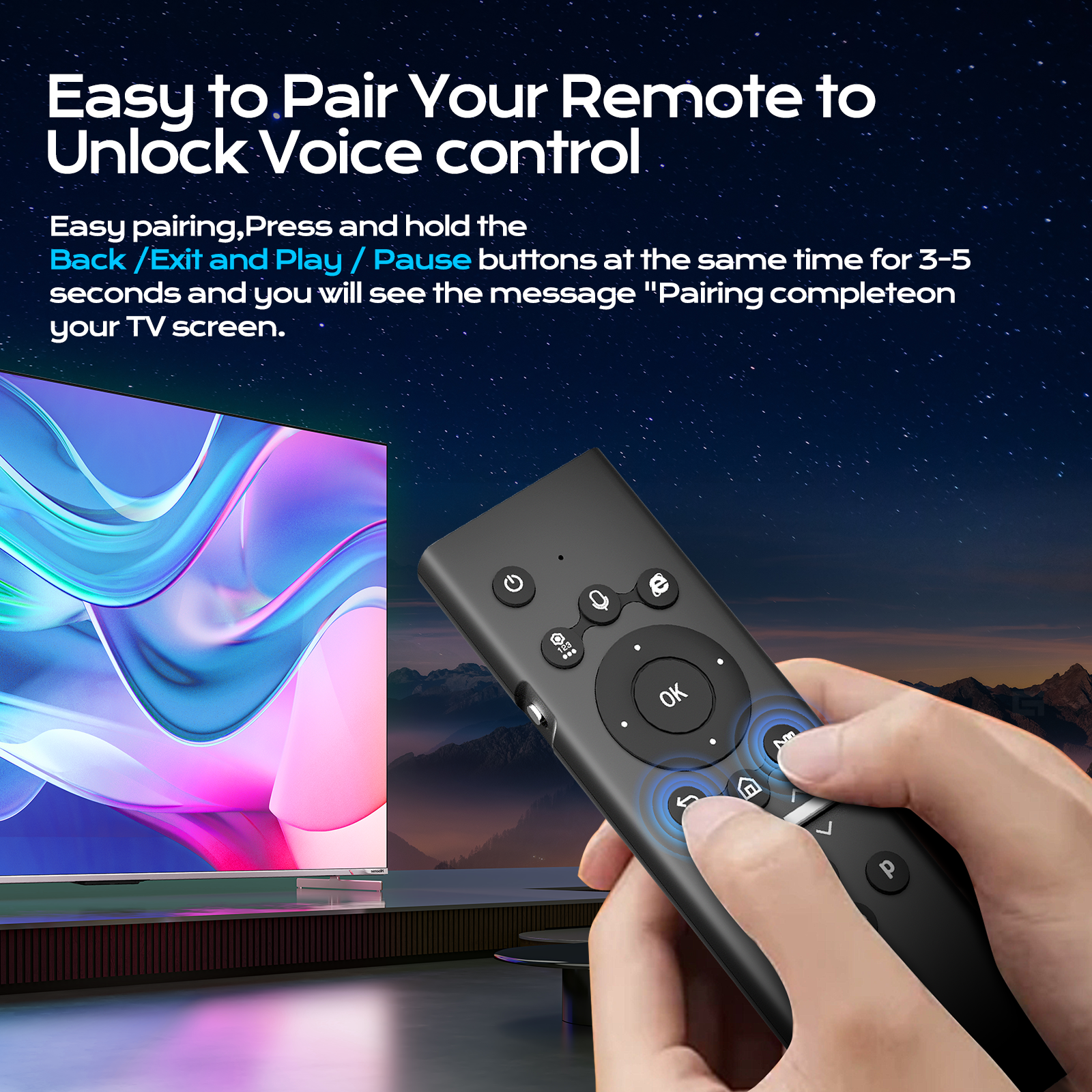
Sometimes, a remote keyboard may not work right. Don't worry; there are simple fixes for common issues. If it's not connecting to your smart TV, check the batteries first. If they are old or dead, replace them with new ones. Then try reconnecting. For Bluetooth, go to your TV settings and find devices. Turn the keyboard on and set it to pairing mode. Check the manual for instructions. If it still doesn't work, unplug and replug the USB dongle if it has one. A simple reset often solves the issue. Another problem is lag when typing. Move closer to the TV or remove obstacles. Check for interference from other devices. If nothing helps, restart the TV to refresh the connection. Still having trouble? Visit the Siegeon site for support. We help make your TV experience fun.

If you're looking for a place to buy remote keyboards for your TV, especially in bulk, check out Siegeon. Bulk purchases can get you better prices, which is great for families or schools that need many. Siegeon has different types with special features, including the 2.4G Air Mouse Remote that you might find useful. Some have backlights for dark rooms, while others include touchpads for easy use. Visit the site to see options, compare prices, and read reviews. So choose the right one for your needs and budget.


Get a Free Quote

Our representative will contact you soon.
Email
Name
Company Name
Message
0/1000

Related product categories

How to Troubleshoot Common Issues with TV Remote Keyboards?

How to Troubleshoot Common Issues with TV Remote Keyboards?

Also, contact Siegeon directly for bulk purchases. They offer special pricing, which is helpful for classrooms or centers. Bulk buying can save money, and having everyone use the same keyboard makes it easier to teach. Siegeon is known for quality products that last. Plus, there are sales if you sign up for the newsletter, so you'll know about discounts first.

 
Where to Buy Affordable Remote Keyboards for Bulk Orders?

Where to Buy Affordable Remote Keyboards for Bulk Orders?

A remote keyboard can change how you watch shows and movies. With it, you can search for favorites or type names quickly, eliminating the hassle of a tiny remote. It's much quicker to find what you want. For smart TVs, logging into streaming services like Netflix or YouTube is easy, allowing you to type your username and password quickly.

How to Enhance Your Viewing Experience with a Remote Keyboard?

How to Enhance Your Viewing Experience with a Remote Keyboard?

The great thing is that extra features, like touchpad volume control, can make your experience even better. You can change the volume and pause from the keyboard without grabbing another remote or getting up from the couch. Many of Siegeon's keyboards are wireless, allowing you to use them from far away without any wires. You can sit anywhere in the room. Also, chatting and commenting on videos is easy, so you can share your thoughts instantly with friends.

Get a Free Quote

Our representative will contact you soon.
Email
Name
Company Name
Message
0/1000